macOS menu bar app
If you install rig using the rig installer or Homebrew on macOS, it comes with a menu bar app.
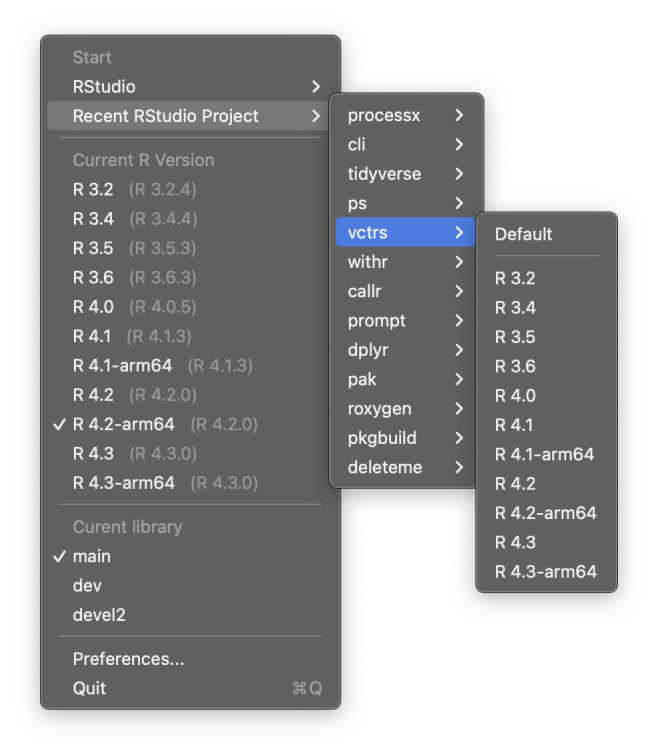
You can view and choose the default R version in the macOS menu bar. Start RStudio or a recent RStudio project with the selected R version. Select between your package libraries.
To start the menu bar app the first time, run the Rig app in “Applications” from Finder or Spotlight, or run
open -a Rigfrom a Terminal. Then you can check the “Launch at login” box in “Preferences” to start it automatically in the future.
Note: if you have a lot of menu bar apps running, then some of them might be under the camera area. There is no good solution for this currently, other than running less menu bar apps.